


Z-Table: Positive and Negative Z-Score Values
Every standard normal area from z = −3.9 to 3.9, with both halves on one page. Type a z-score to light up its cell, work backwards from an area, then print the tables or copy them into a spreadsheet.
Standard Normal Table and Z-Score Lookup
Look up a z-score or an area. The matching cell is highlighted in the tables below.
Any z from −37 to 37. The table cell uses z rounded to two decimals.
Working appears here.Syntax appears here.Summary appears here.Negative z-table
| z | 0.00 | 0.01 | 0.02 | 0.03 | 0.04 | 0.05 | 0.06 | 0.07 | 0.08 | 0.09 |
|---|---|---|---|---|---|---|---|---|---|---|
| −3.9 | 0.0000 | 0.0000 | 0.0000 | 0.0000 | 0.0000 | 0.0000 | 0.0000 | 0.0000 | 0.0000 | 0.0000 |
| −3.8 | 0.0001 | 0.0001 | 0.0001 | 0.0001 | 0.0001 | 0.0001 | 0.0001 | 0.0001 | 0.0001 | 0.0001 |
| −3.7 | 0.0001 | 0.0001 | 0.0001 | 0.0001 | 0.0001 | 0.0001 | 0.0001 | 0.0001 | 0.0001 | 0.0001 |
| −3.6 | 0.0002 | 0.0002 | 0.0001 | 0.0001 | 0.0001 | 0.0001 | 0.0001 | 0.0001 | 0.0001 | 0.0001 |
| −3.5 | 0.0002 | 0.0002 | 0.0002 | 0.0002 | 0.0002 | 0.0002 | 0.0002 | 0.0002 | 0.0002 | 0.0002 |
| −3.4 | 0.0003 | 0.0003 | 0.0003 | 0.0003 | 0.0003 | 0.0003 | 0.0003 | 0.0003 | 0.0003 | 0.0002 |
| −3.3 | 0.0005 | 0.0005 | 0.0005 | 0.0004 | 0.0004 | 0.0004 | 0.0004 | 0.0004 | 0.0004 | 0.0003 |
| −3.2 | 0.0007 | 0.0007 | 0.0006 | 0.0006 | 0.0006 | 0.0006 | 0.0006 | 0.0005 | 0.0005 | 0.0005 |
| −3.1 | 0.0010 | 0.0009 | 0.0009 | 0.0009 | 0.0008 | 0.0008 | 0.0008 | 0.0008 | 0.0007 | 0.0007 |
| −3.0 | 0.0013 | 0.0013 | 0.0013 | 0.0012 | 0.0012 | 0.0011 | 0.0011 | 0.0011 | 0.0010 | 0.0010 |
| −2.9 | 0.0019 | 0.0018 | 0.0018 | 0.0017 | 0.0016 | 0.0016 | 0.0015 | 0.0015 | 0.0014 | 0.0014 |
| −2.8 | 0.0026 | 0.0025 | 0.0024 | 0.0023 | 0.0023 | 0.0022 | 0.0021 | 0.0021 | 0.0020 | 0.0019 |
| −2.7 | 0.0035 | 0.0034 | 0.0033 | 0.0032 | 0.0031 | 0.0030 | 0.0029 | 0.0028 | 0.0027 | 0.0026 |
| −2.6 | 0.0047 | 0.0045 | 0.0044 | 0.0043 | 0.0041 | 0.0040 | 0.0039 | 0.0038 | 0.0037 | 0.0036 |
| −2.5 | 0.0062 | 0.0060 | 0.0059 | 0.0057 | 0.0055 | 0.0054 | 0.0052 | 0.0051 | 0.0049 | 0.0048 |
| −2.4 | 0.0082 | 0.0080 | 0.0078 | 0.0075 | 0.0073 | 0.0071 | 0.0069 | 0.0068 | 0.0066 | 0.0064 |
| −2.3 | 0.0107 | 0.0104 | 0.0102 | 0.0099 | 0.0096 | 0.0094 | 0.0091 | 0.0089 | 0.0087 | 0.0084 |
| −2.2 | 0.0139 | 0.0136 | 0.0132 | 0.0129 | 0.0125 | 0.0122 | 0.0119 | 0.0116 | 0.0113 | 0.0110 |
| −2.1 | 0.0179 | 0.0174 | 0.0170 | 0.0166 | 0.0162 | 0.0158 | 0.0154 | 0.0150 | 0.0146 | 0.0143 |
| −2.0 | 0.0228 | 0.0222 | 0.0217 | 0.0212 | 0.0207 | 0.0202 | 0.0197 | 0.0192 | 0.0188 | 0.0183 |
| −1.9 | 0.0287 | 0.0281 | 0.0274 | 0.0268 | 0.0262 | 0.0256 | 0.0250 | 0.0244 | 0.0239 | 0.0233 |
| −1.8 | 0.0359 | 0.0351 | 0.0344 | 0.0336 | 0.0329 | 0.0322 | 0.0314 | 0.0307 | 0.0301 | 0.0294 |
| −1.7 | 0.0446 | 0.0436 | 0.0427 | 0.0418 | 0.0409 | 0.0401 | 0.0392 | 0.0384 | 0.0375 | 0.0367 |
| −1.6 | 0.0548 | 0.0537 | 0.0526 | 0.0516 | 0.0505 | 0.0495 | 0.0485 | 0.0475 | 0.0465 | 0.0455 |
| −1.5 | 0.0668 | 0.0655 | 0.0643 | 0.0630 | 0.0618 | 0.0606 | 0.0594 | 0.0582 | 0.0571 | 0.0559 |
| −1.4 | 0.0808 | 0.0793 | 0.0778 | 0.0764 | 0.0749 | 0.0735 | 0.0721 | 0.0708 | 0.0694 | 0.0681 |
| −1.3 | 0.0968 | 0.0951 | 0.0934 | 0.0918 | 0.0901 | 0.0885 | 0.0869 | 0.0853 | 0.0838 | 0.0823 |
| −1.2 | 0.1151 | 0.1131 | 0.1112 | 0.1093 | 0.1075 | 0.1056 | 0.1038 | 0.1020 | 0.1003 | 0.0985 |
| −1.1 | 0.1357 | 0.1335 | 0.1314 | 0.1292 | 0.1271 | 0.1251 | 0.1230 | 0.1210 | 0.1190 | 0.1170 |
| −1.0 | 0.1587 | 0.1562 | 0.1539 | 0.1515 | 0.1492 | 0.1469 | 0.1446 | 0.1423 | 0.1401 | 0.1379 |
| −0.9 | 0.1841 | 0.1814 | 0.1788 | 0.1762 | 0.1736 | 0.1711 | 0.1685 | 0.1660 | 0.1635 | 0.1611 |
| −0.8 | 0.2119 | 0.2090 | 0.2061 | 0.2033 | 0.2005 | 0.1977 | 0.1949 | 0.1922 | 0.1894 | 0.1867 |
| −0.7 | 0.2420 | 0.2389 | 0.2358 | 0.2327 | 0.2296 | 0.2266 | 0.2236 | 0.2206 | 0.2177 | 0.2148 |
| −0.6 | 0.2743 | 0.2709 | 0.2676 | 0.2643 | 0.2611 | 0.2578 | 0.2546 | 0.2514 | 0.2483 | 0.2451 |
| −0.5 | 0.3085 | 0.3050 | 0.3015 | 0.2981 | 0.2946 | 0.2912 | 0.2877 | 0.2843 | 0.2810 | 0.2776 |
| −0.4 | 0.3446 | 0.3409 | 0.3372 | 0.3336 | 0.3300 | 0.3264 | 0.3228 | 0.3192 | 0.3156 | 0.3121 |
| −0.3 | 0.3821 | 0.3783 | 0.3745 | 0.3707 | 0.3669 | 0.3632 | 0.3594 | 0.3557 | 0.3520 | 0.3483 |
| −0.2 | 0.4207 | 0.4168 | 0.4129 | 0.4090 | 0.4052 | 0.4013 | 0.3974 | 0.3936 | 0.3897 | 0.3859 |
| −0.1 | 0.4602 | 0.4562 | 0.4522 | 0.4483 | 0.4443 | 0.4404 | 0.4364 | 0.4325 | 0.4286 | 0.4247 |
| −0.0 | 0.5000 | 0.4960 | 0.4920 | 0.4880 | 0.4840 | 0.4801 | 0.4761 | 0.4721 | 0.4681 | 0.4641 |
Positive z-table
| z | 0.00 | 0.01 | 0.02 | 0.03 | 0.04 | 0.05 | 0.06 | 0.07 | 0.08 | 0.09 |
|---|---|---|---|---|---|---|---|---|---|---|
| 0.0 | 0.5000 | 0.5040 | 0.5080 | 0.5120 | 0.5160 | 0.5199 | 0.5239 | 0.5279 | 0.5319 | 0.5359 |
| 0.1 | 0.5398 | 0.5438 | 0.5478 | 0.5517 | 0.5557 | 0.5596 | 0.5636 | 0.5675 | 0.5714 | 0.5753 |
| 0.2 | 0.5793 | 0.5832 | 0.5871 | 0.5910 | 0.5948 | 0.5987 | 0.6026 | 0.6064 | 0.6103 | 0.6141 |
| 0.3 | 0.6179 | 0.6217 | 0.6255 | 0.6293 | 0.6331 | 0.6368 | 0.6406 | 0.6443 | 0.6480 | 0.6517 |
| 0.4 | 0.6554 | 0.6591 | 0.6628 | 0.6664 | 0.6700 | 0.6736 | 0.6772 | 0.6808 | 0.6844 | 0.6879 |
| 0.5 | 0.6915 | 0.6950 | 0.6985 | 0.7019 | 0.7054 | 0.7088 | 0.7123 | 0.7157 | 0.7190 | 0.7224 |
| 0.6 | 0.7257 | 0.7291 | 0.7324 | 0.7357 | 0.7389 | 0.7422 | 0.7454 | 0.7486 | 0.7517 | 0.7549 |
| 0.7 | 0.7580 | 0.7611 | 0.7642 | 0.7673 | 0.7704 | 0.7734 | 0.7764 | 0.7794 | 0.7823 | 0.7852 |
| 0.8 | 0.7881 | 0.7910 | 0.7939 | 0.7967 | 0.7995 | 0.8023 | 0.8051 | 0.8078 | 0.8106 | 0.8133 |
| 0.9 | 0.8159 | 0.8186 | 0.8212 | 0.8238 | 0.8264 | 0.8289 | 0.8315 | 0.8340 | 0.8365 | 0.8389 |
| 1.0 | 0.8413 | 0.8438 | 0.8461 | 0.8485 | 0.8508 | 0.8531 | 0.8554 | 0.8577 | 0.8599 | 0.8621 |
| 1.1 | 0.8643 | 0.8665 | 0.8686 | 0.8708 | 0.8729 | 0.8749 | 0.8770 | 0.8790 | 0.8810 | 0.8830 |
| 1.2 | 0.8849 | 0.8869 | 0.8888 | 0.8907 | 0.8925 | 0.8944 | 0.8962 | 0.8980 | 0.8997 | 0.9015 |
| 1.3 | 0.9032 | 0.9049 | 0.9066 | 0.9082 | 0.9099 | 0.9115 | 0.9131 | 0.9147 | 0.9162 | 0.9177 |
| 1.4 | 0.9192 | 0.9207 | 0.9222 | 0.9236 | 0.9251 | 0.9265 | 0.9279 | 0.9292 | 0.9306 | 0.9319 |
| 1.5 | 0.9332 | 0.9345 | 0.9357 | 0.9370 | 0.9382 | 0.9394 | 0.9406 | 0.9418 | 0.9429 | 0.9441 |
| 1.6 | 0.9452 | 0.9463 | 0.9474 | 0.9484 | 0.9495 | 0.9505 | 0.9515 | 0.9525 | 0.9535 | 0.9545 |
| 1.7 | 0.9554 | 0.9564 | 0.9573 | 0.9582 | 0.9591 | 0.9599 | 0.9608 | 0.9616 | 0.9625 | 0.9633 |
| 1.8 | 0.9641 | 0.9649 | 0.9656 | 0.9664 | 0.9671 | 0.9678 | 0.9686 | 0.9693 | 0.9699 | 0.9706 |
| 1.9 | 0.9713 | 0.9719 | 0.9726 | 0.9732 | 0.9738 | 0.9744 | 0.9750 | 0.9756 | 0.9761 | 0.9767 |
| 2.0 | 0.9772 | 0.9778 | 0.9783 | 0.9788 | 0.9793 | 0.9798 | 0.9803 | 0.9808 | 0.9812 | 0.9817 |
| 2.1 | 0.9821 | 0.9826 | 0.9830 | 0.9834 | 0.9838 | 0.9842 | 0.9846 | 0.9850 | 0.9854 | 0.9857 |
| 2.2 | 0.9861 | 0.9864 | 0.9868 | 0.9871 | 0.9875 | 0.9878 | 0.9881 | 0.9884 | 0.9887 | 0.9890 |
| 2.3 | 0.9893 | 0.9896 | 0.9898 | 0.9901 | 0.9904 | 0.9906 | 0.9909 | 0.9911 | 0.9913 | 0.9916 |
| 2.4 | 0.9918 | 0.9920 | 0.9922 | 0.9925 | 0.9927 | 0.9929 | 0.9931 | 0.9932 | 0.9934 | 0.9936 |
| 2.5 | 0.9938 | 0.9940 | 0.9941 | 0.9943 | 0.9945 | 0.9946 | 0.9948 | 0.9949 | 0.9951 | 0.9952 |
| 2.6 | 0.9953 | 0.9955 | 0.9956 | 0.9957 | 0.9959 | 0.9960 | 0.9961 | 0.9962 | 0.9963 | 0.9964 |
| 2.7 | 0.9965 | 0.9966 | 0.9967 | 0.9968 | 0.9969 | 0.9970 | 0.9971 | 0.9972 | 0.9973 | 0.9974 |
| 2.8 | 0.9974 | 0.9975 | 0.9976 | 0.9977 | 0.9977 | 0.9978 | 0.9979 | 0.9979 | 0.9980 | 0.9981 |
| 2.9 | 0.9981 | 0.9982 | 0.9982 | 0.9983 | 0.9984 | 0.9984 | 0.9985 | 0.9985 | 0.9986 | 0.9986 |
| 3.0 | 0.9987 | 0.9987 | 0.9987 | 0.9988 | 0.9988 | 0.9989 | 0.9989 | 0.9989 | 0.9990 | 0.9990 |
| 3.1 | 0.9990 | 0.9991 | 0.9991 | 0.9991 | 0.9992 | 0.9992 | 0.9992 | 0.9992 | 0.9993 | 0.9993 |
| 3.2 | 0.9993 | 0.9993 | 0.9994 | 0.9994 | 0.9994 | 0.9994 | 0.9994 | 0.9995 | 0.9995 | 0.9995 |
| 3.3 | 0.9995 | 0.9995 | 0.9995 | 0.9996 | 0.9996 | 0.9996 | 0.9996 | 0.9996 | 0.9996 | 0.9997 |
| 3.4 | 0.9997 | 0.9997 | 0.9997 | 0.9997 | 0.9997 | 0.9997 | 0.9997 | 0.9997 | 0.9997 | 0.9998 |
| 3.5 | 0.9998 | 0.9998 | 0.9998 | 0.9998 | 0.9998 | 0.9998 | 0.9998 | 0.9998 | 0.9998 | 0.9998 |
| 3.6 | 0.9998 | 0.9998 | 0.9999 | 0.9999 | 0.9999 | 0.9999 | 0.9999 | 0.9999 | 0.9999 | 0.9999 |
| 3.7 | 0.9999 | 0.9999 | 0.9999 | 0.9999 | 0.9999 | 0.9999 | 0.9999 | 0.9999 | 0.9999 | 0.9999 |
| 3.8 | 0.9999 | 0.9999 | 0.9999 | 0.9999 | 0.9999 | 0.9999 | 0.9999 | 0.9999 | 0.9999 | 0.9999 |
| 3.9 | 1.0000 | 1.0000 | 1.0000 | 1.0000 | 1.0000 | 1.0000 | 1.0000 | 1.0000 | 1.0000 | 1.0000 |
The negative and positive tables sit together, so a bound like z = −1.5 never needs a subtraction trick before you can read it.
Switch between cumulative, mean-to-z and upper-tail layouts at four, five or six decimals, whichever your course prints.
Send just the tables to your printer or copy them, tab separated, into Excel. Every cell is checked against SciPy.
What Is a Z-Table and What Does It Show?
A z-table, also called the standard normal table, lists the area under the standard normal curve to the left of each z-score. That area is a probability: it is the chance that a value drawn from a normal distribution with mean 0 and standard deviation 1 comes out at or below z. For z = 1.00 the entry is 0.8413, so about 84.13% of values fall at or below one standard deviation above the mean.
Almost every statistics course hands you one. You use it whenever a problem says “what proportion of” or “what is the probability that” and the data are roughly bell-shaped. The table is just the cumulative distribution function of the normal curve, worked out in advance for z from about −3.9 to 3.9 in steps of 0.01.
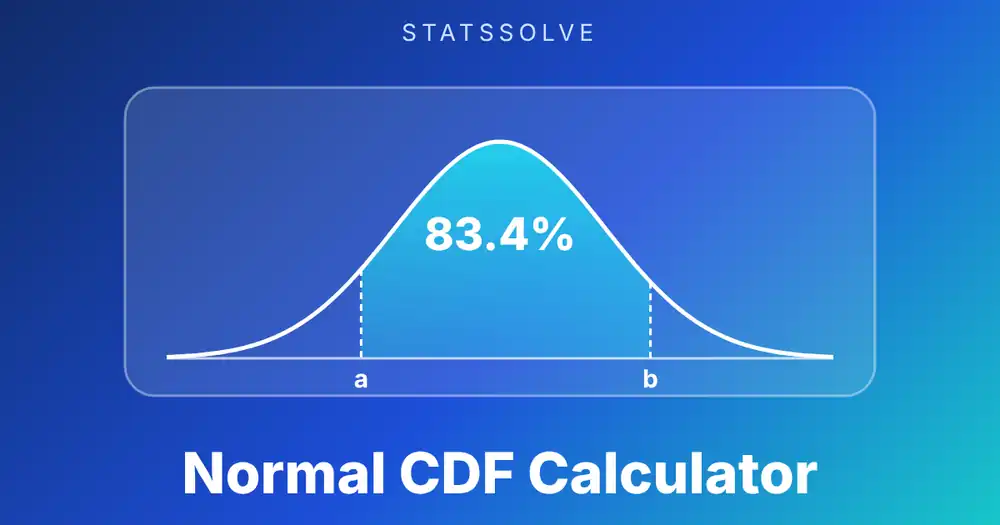
The tables below the calculator on this page are generated from the exact normal CDF, not typed in by hand. They come in a negative half and a positive half, they can be switched between three common layouts, and the cell for your z-score lights up when you look it up. If you would rather skip the table and get an area for any z, or any two bounds, the normal CDF calculator does that directly.
How Do You Use This Z-Table Calculator?
Type a z-score and the matching table cell is highlighted, with every related area shown beside it.
- Look up a z-score. Enter any z, for example 1.23 or −2.5. The result cards give the area to the left (the table entry), the area to the right, the area from the mean to z, the area between −|z| and |z|, and the two-tail area outside.
- Or work backwards from an area. Switch the mode to “Area → z-score”, enter a left-tail area such as 0.975 or 97.5%, and you get the z-score plus the nearest cell in the table.
- Pick the table layout. Cumulative (area to the left) is what most textbooks print. The other two are area from the mean to z, and area in the upper tail.
- Choose which half to show and how many decimals. Four decimals matches a printed table, five is closer to what software gives.
- Print or copy. The print button sends only the tables to your printer, so you can save them as a PDF from the print dialog. The copy button puts the visible tables on your clipboard for a spreadsheet.
The table has only two-decimal z-scores, so the highlighted cell uses z rounded to two decimals. The cards above it always use your exact z.
How Do You Read a Z-Table?
Split the z-score into its first decimal place and its second decimal place. Find the first part in the left column, the second part in the top row, and read the number where they cross.
Take z = 1.23. Split it into 1.2 and 0.03. Go down the left column to the row 1.2, across to the column 0.03, and the cell reads 0.8907. That is the proportion of the standard normal curve at or below 1.23, so about 89.07% of values are smaller. The row heading carries the whole number and the tenths, the column heading carries the hundredths, and the two add back up to the z-score.
Two checks save you from most slips. A z of 0 must read 0.5000, because half the curve lies on each side of the mean. And the numbers should rise as you move down or to the right in the positive half, because a larger z leaves more area behind it.
How Do You Read the Negative Z-Table?
The negative z-table works exactly the same way, except the row heading is negative and the entry is the small area in the left tail. For z = −2.23, find the row −2.2 and the column 0.03. The cell reads 0.0129, so only about 1.29% of values fall at or below −2.23.
The one trap is the column. The hundredths digit is added in the same direction as the row, away from zero. In the row for −2.2, the column 0.03 means −2.23, not −2.17. If you move one column to the right you are heading further into the tail, and the area gets smaller, which is a quick way to confirm you are on the right side.
Rows near zero are labelled −0.0, −0.1 and so on. The row −0.0 holds z = −0.00 to −0.09, and its first cell is 0.5000, the same as the positive table at z = 0.
Why Are There Two Z-Tables, and How Do They Relate?
The normal curve is symmetric about zero, so the two halves of the table carry the same information. The area to the left of −z equals the area to the right of z, which gives the identity Φ(−z) = 1 − Φ(z).
You can see it in the numbers. The entry for z = 1.00 is 0.8413 and the entry for z = −1.00 is 0.1587, and 0.8413 + 0.1587 = 1. The same pairing holds for every row: 0.9332 for z = 1.50 and 0.0668 for z = −1.50, or 0.5987 for z = 0.25 and 0.4013 for z = −0.25.
Some books print only the positive half to save space. If yours does, and you need a negative z, look up the positive twin and subtract from 1. Having both halves on one page, as here, just removes that step and the chance to slip on it.
Which Kind of Z-Table Do You Have?
Not every textbook prints the same thing, and using a table of the wrong type is the most common reason an answer comes out wrong. There are three layouts.
| Layout | What a cell holds | Entry at z = 1.23 | How to get the left-tail area |
|---|---|---|---|
| Cumulative (left tail) | Area from −∞ to z | 0.8907 | Read it directly |
| Mean to z | Area from 0 to z | 0.3907 | Add 0.5 (positive z) |
| Upper tail | Area from z to +∞ | 0.1093 | 1 minus the entry |
Tell them apart by checking z = 0. A cumulative table gives 0.5000 there, a mean-to-z table gives 0.0000, and an upper-tail table gives 0.5000 as well but falls as z grows instead of rising. The tables on this page can be switched between all three, so you can match whichever one your course uses.
How Do You Find the Area to the Right, Between Two Z-Scores, or in Both Tails?
Start from the cumulative (left-tail) entry, written Φ(z), and combine entries with simple arithmetic.
- Right of z: 1 − Φ(z). For z = 1.23 that is 1 − 0.8907 = 0.1093.
- Between a and b: Φ(b) − Φ(a). Between z = −1 and 1 it is 0.8413 − 0.1587 = 0.6826 from the rounded entries (0.6827 unrounded).
- Both tails outside ±z: 2 × (1 − Φ(|z|)). For z = 1.96 that is 2 × 0.0250 = 0.0500.
- From the mean to z: Φ(z) − 0.5. For z = 1.23 that is 0.3907.
Sketch the curve and shade what you want before you subtract anything. It takes ten seconds and catches nearly every sign error. The normal curve calculator draws and shades any region for you if you want to check your picture against a real one.
Which Z-Values Come Up Most Often?
A handful of z-scores show up in confidence intervals, hypothesis tests and the empirical rule. They are worth knowing by heart.
| Use | z-score | Area to the left | Area in the tail(s) |
|---|---|---|---|
| 90% two-sided interval | 1.645 | 0.9500 | 0.05 each side |
| 95% two-sided interval | 1.96 | 0.9750 | 0.025 each side |
| 99% two-sided interval | 2.576 | 0.9950 | 0.005 each side |
| One-sided 99% cut-off | 2.326 | 0.9900 | 0.01 one side |
| Top 10% cut-off | 1.282 | 0.9000 | 0.10 one side |
| Within 1 SD of the mean | ±1 | 0.8413 at +1 | 0.6827 in the middle |
| Within 2 SD of the mean | ±2 | 0.9772 at +2 | 0.9545 in the middle |
| Within 3 SD of the mean | ±3 | 0.9987 at +3 | 0.9973 in the middle |
The last three rows are the 68–95–99.7 rule. Notice that 1.96 and 1.645 are not whole numbers in any table; they sit between the printed columns, which is why interval formulas quote them to three decimals.
How Do You Go From an Area Back to a Z-Score?
Find the area inside the body of the table, then read the row and column headings that lead to it. That is the reverse of a normal lookup, and it answers questions like “what z-score marks the top 5%?”
For a left-tail area of 0.9750, scan the positive half until you reach 0.9750. It sits in the row 1.9 and the column 0.06, so z = 1.96. If your exact area is not printed, take the nearest entry, or interpolate between the two closest if you need more precision. For a target of 0.9500 the cells either side are 0.9495 at z = 1.64 and 0.9505 at z = 1.65, and the answer 1.645 sits right in the middle.
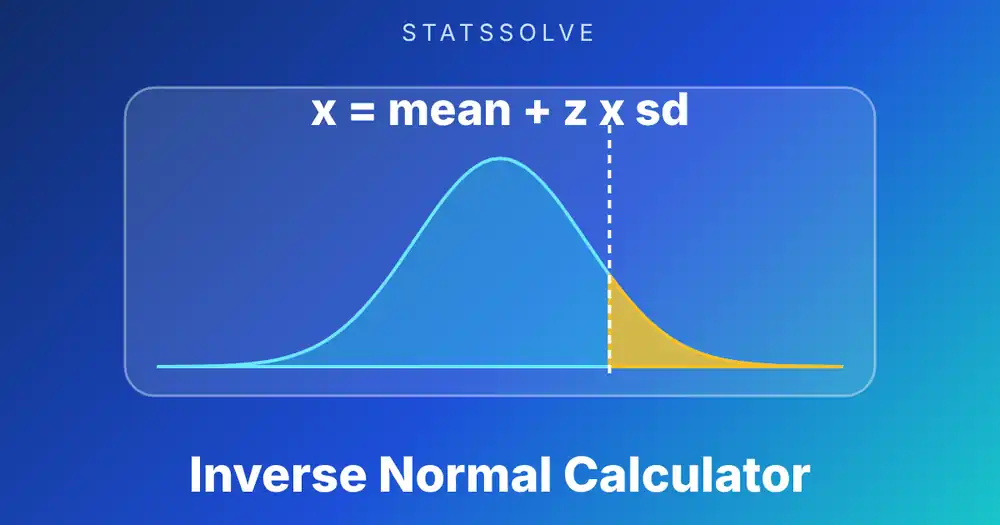
Tables are slow for this job, and calculators are more exact. The mode switch above does the search for you and also gives the nearest table cell. For arbitrary means and standard deviations, or for a two-sided and tail area, use the inverse normal distribution calculator.
Worked Example 1: Where Does a Score of 85 Fall?
An exam has a mean of 72 and a standard deviation of 8, and the scores are roughly normal. What share of students scored below 85?
Step 1, standardise. z = (85 − 72) / 8 = 13 / 8 = 1.625.
Step 2, look it up. The table has no column for 1.625, but it has 1.62 and 1.63. In the row 1.6, the column 0.02 reads 0.9474 and the column 0.03 reads 0.9484. A score exactly halfway between them gets the average: (0.9474 + 0.9484) / 2 = 0.9479.
Step 3, answer. About 94.8% of students scored below 85, which puts the score at roughly the 95th percentile. The share above it is 1 − 0.9479 = 0.0521, about 5.2%.
A calculator that skips the table gives 0.94792, so the interpolated table answer agrees to four places. If you round z to 1.63 and read straight off the table you get 0.9484, which is still fine for most classwork but is 0.0005 high.
Worked Example 2: What Share of Values Lie Between z = −1.5 and z = 0.8?
Between two bounds you subtract two cumulative entries, bigger minus smaller.
Step 1. Read Φ(0.8) from the positive table: row 0.8, column 0.00, giving 0.7881.
Step 2. Read Φ(−1.5) from the negative table: row −1.5, column 0.00, giving 0.0668.
Step 3. Subtract: 0.7881 − 0.0668 = 0.7213.
About 72.1% of a normal population lies between 1.5 standard deviations below the mean and 0.8 above it. This is the case where having both halves of the table in view pays off, because a table that stops at z = 0 forces an extra step for the negative bound. For two bounds that are not z-scores yet, enter the mean and standard deviation in the normal CDF calculator and skip the standardising.
Worked Example 3: Which Score Marks the Top 10%?
Scores on a placement test are normal with a mean of 500 and a standard deviation of 100. What is the lowest score that still lands in the top 10%?
Step 1. The cut-off has 90% of the area to its left, so look for 0.9000 in the cumulative positive table.
Step 2. The closest entries are 0.8997 at z = 1.28 and 0.9015 at z = 1.29. Since 0.8997 is nearer to 0.9000, z = 1.28. The exact value from software is 1.2816.
Step 3. Convert back to the test scale: x = 500 + 1.28 × 100 = 628. With the exact z the score is 628.2.
So a student needs about 628 to be in the top tenth. The rounding of z from 1.2816 to 1.28 moved the answer by only 0.2 of a point, which is typical: a two-decimal table is accurate enough for almost any assignment, and not enough for work that has to match software to the last digit.
How Accurate Is a Z-Table, and What About Values Beyond 3.49?
A four-decimal table is rounded, so every entry can be off by up to 0.00005. That is invisible in most problems, but it can flip the last digit when you subtract two entries. In Example 2, the unrounded difference is 0.72134 and the rounded one is 0.7213, so they agree. In the −1 to 1 case above, the rounded entries give 0.6826 while the exact value is 0.6827.
Printed tables usually stop at 3.49 or 3.99 because the curve is so flat out there. At z = 3.49 the entry is 0.9998 and at −3.49 it is 0.0002. For z = 3.9 the cumulative area is 0.99995 and for z = −3.9 it is 0.00005, which is why many tables simply print 0.9999 or 1.0000 in the last rows. If your z is beyond the table, the tail area is smaller than the last entry; use the cards on this page or software to get it.
When your z has three decimals, interpolate between the two nearest columns, as in Worked Example 1. Linear interpolation across 0.01 is accurate to about five decimals, because the curve is almost straight over such a short step.
How Do You Get the Same Numbers in Excel, R, Python and a TI-84?
Each tool has a one-line version of the table lookup and its reverse. They all use the same cumulative definition as the table above.
| Task | Excel / Sheets | R | Python (SciPy) | TI-84 |
|---|---|---|---|---|
| Area left of z | =NORM.S.DIST(z, TRUE) | pnorm(z) | norm.cdf(z) | normalcdf(-1E99, z) |
| Area right of z | =1-NORM.S.DIST(z, TRUE) | pnorm(z, lower.tail=FALSE) | norm.sf(z) | normalcdf(z, 1E99) |
| Between a and b | =NORM.S.DIST(b,TRUE)-NORM.S.DIST(a,TRUE) | pnorm(b) - pnorm(a) | norm.cdf(b) - norm.cdf(a) | normalcdf(a, b) |
| z from left area | =NORM.S.INV(p) | qnorm(p) | norm.ppf(p) | invNorm(p) |
For data that are not standardised, give the mean and standard deviation to the same functions (NORM.DIST, pnorm(x, mean, sd)) and skip the z conversion. To find the standard deviation of your own data first, use the standard deviation calculator, then standardise with z = (x − mean) / SD. When the sample is small and the population SD is unknown, the t distribution replaces the normal, and the t distribution calculator gives its critical values.
What Mistakes Do People Make With Z-Tables?
- Using the wrong table type. A mean-to-z table read as a cumulative table is off by 0.5. Check the entry at z = 0 first.
- Forgetting to standardise. The table is for z-scores. Look up 85, or 1.625, only after you have computed (x − μ) / σ.
- Mixing up the tails. A table entry is always the area to the left in a cumulative table. For “greater than”, subtract from 1.
- Misreading the column for negative z. In the row −1.2, the column 0.05 is −1.25, not −1.15.
- Doubling twice or not at all. Two-tail areas are twice the single tail. A p-value from a two-sided test uses 2 × (1 − Φ(|z|)).
- Rounding z too early. Round only the final answer, or interpolate when z has three decimals.
- Applying it to skewed data. The table assumes a normal distribution. For a general bell-shaped model with its own mean and spread, the Gaussian distribution calculator shows the curve directly, and for counts of successes use the binomial distribution calculator or its binomial distribution table instead.
Frequently Asked Questions
What is a z-table?
A z-table lists the area under the standard normal curve to the left of each z-score, usually for z from −3.9 to 3.9 in steps of 0.01. The entry for z = 1.00 is 0.8413, meaning 84.13% of values fall at or below one standard deviation above the mean.
How do I read a z-table?
Split the z-score into tenths and hundredths. Find the tenths (such as 1.2) in the left column, the hundredths (such as 0.03) in the top row, and read the cell where they cross. For z = 1.23 the entry is 0.8907.
How do I use a negative z-table?
Use the same method but start from a negative row. For z = −2.23, find the row −2.2 and the column 0.03; the cell is 0.0129. The entry is the area in the left tail, so it is small for large negative z.
How do I find the area to the right of z?
Subtract the cumulative table entry from 1. For z = 1.23 the entry is 0.8907, so the area to the right is 1 − 0.8907 = 0.1093.
What is the z-score for 95%?
For a 95% two-sided interval the z-score is 1.96, because 0.975 of the area lies to its left. For a one-sided 95% cut-off the z-score is 1.645, which has 0.95 of the area to its left.
Why are there two z-tables?
The normal curve is symmetric, so one table covers positive z and one covers negative z. The two are linked by Φ(−z) = 1 − Φ(z): the entry for −1.00 is 0.1587 and the entry for 1.00 is 0.8413, which add to 1.
What if my z-score has three decimal places?
Interpolate between the two nearest columns, or round to two decimals if your course allows it. For z = 1.625 the entries for 1.62 and 1.63 are 0.9474 and 0.9484, so the answer is about 0.9479.
Can I print this z-table or save it as a PDF?
Yes. The print button sends only the tables to your printer, and choosing Save as PDF in the print dialog gives you a file. The copy button puts the visible tables on your clipboard, tab separated, for Excel or Google Sheets.
Sources: NIST/SEMATECH e-Handbook of Statistical Methods, section 1.3.6.6.1 Normal Distribution. SciPy documentation, scipy.stats.norm. R documentation, Normal. Microsoft Support, NORM.S.DIST function.
Related Calculators
When a table is more work than you want, these pages give the same areas for any bounds, or browse the full list of free statistics calculators: