


Box Plot Maker
Paste your numbers and see a box and whisker plot at once, with the five-number summary, outlier dots and mean marker. Add a second or third data set to compare groups on one scale, then save the chart as an image.
Box and Whisker Plot Maker
Enter your data separated by commas, spaces or new lines. The plot updates as you type.
Working appears here.Syntax appears here.Summary appears here.Draw two or three boxes on the same scale and see which group sits higher or spreads wider.
Values beyond the 1.5 × IQR fences appear as dots, or switch to whiskers that reach the minimum and maximum.
Download the chart as SVG or PNG for homework, slides or reports, with the numbers listed beside it.
What Does a Box Plot Maker Do?
A box plot maker turns a list of numbers into a box-and-whisker plot: a box that covers the middle half of your data, a line inside it at the median, and whiskers that reach out to the rest of the values. Paste your numbers into the box above and the chart is drawn for you, together with the five-number summary, the interquartile range, the outlier fences and the mean.
You can plot one data set or up to three side by side, which is the main reason to use a box plot at all. Two or three boxes drawn on the same scale show at a glance which group has the higher centre, which one is more spread out, and which one has stray values. The chart can be horizontal or vertical, and you can download it as an SVG or PNG image for a report or homework.
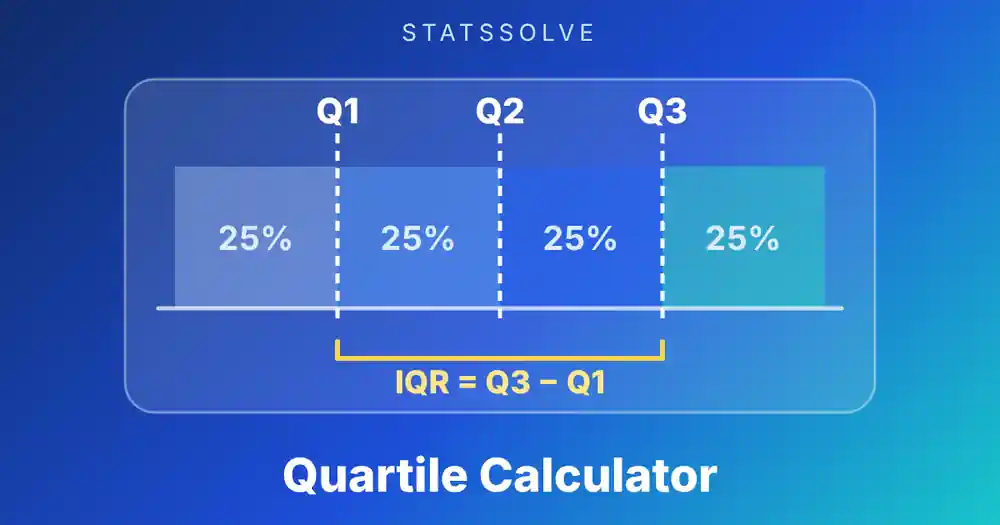
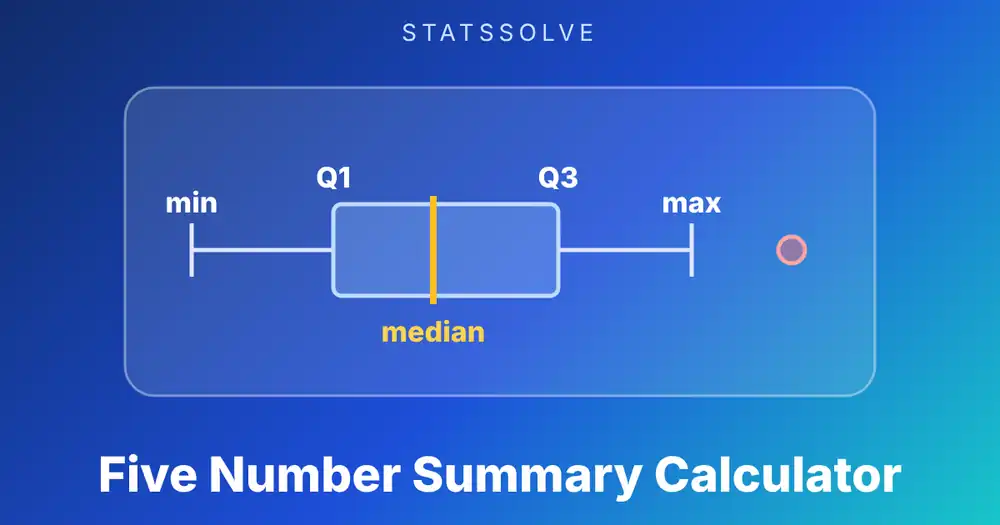
Everything is shown, not hidden. The results table lists every number used to draw each box, so you can check the picture against your textbook. If you only want the five numbers without a chart, the five number summary calculator does that, and the quartile calculator goes deeper into how Q1 and Q3 are found.
How Do You Use This Box Plot Maker?
Type or paste your numbers and the plot updates as you go.
- Enter data set A. Separate values with commas, spaces, semicolons or new lines. A column copied from Excel or Google Sheets pastes straight in. Up to 500 values per set are accepted, and negatives and decimals are fine.
- Add more sets if you want a comparison. Click “Add a data set” for set B and set C. Give each set a short name and the labels appear on the chart.
- Choose the whisker rule. The default draws whiskers to the furthest value within 1.5 × IQR of the box and shows anything beyond that as a dot. Switch to “minimum and maximum” if your course draws whiskers to the extremes.
- Choose the quartile method. Median of halves (TI-84) is the default. Tukey hinges and the two Excel methods are also available. The method changes the box edges slightly, as explained further down.
- Pick horizontal or vertical, then download the image or copy the summary.
The quick buttons load ready-made examples: quiz scores, a data set with an outlier, and two classes to compare. Press Clear to go back to the starting example.
How Do You Read a Box Plot?
A box plot packs five numbers into one picture. Reading it means finding each of them.
- The line inside the box is the median, the middle value. Half the data lies below it and half above.
- The box runs from Q1 to Q3. Its edges are the first and third quartiles, so the box holds the middle 50% of the values. Its length is the interquartile range, IQR = Q3 − Q1.
- The whiskers show the rest of the data. With the usual 1.5 × IQR rule, each whisker ends at the furthest value that is still inside the fences, Q1 − 1.5 × IQR on the low side and Q3 + 1.5 × IQR on the high side.
- Dots beyond the whiskers are outliers. They are values outside the fences. A dot is a flag to look at that value, not a verdict that it is an error.
- A diamond or cross, when shown, is the mean. This maker marks it with a diamond. If the mean sits far from the median line, the data is skewed or contains extreme values.
Each of the four parts between the marks (lower whisker, lower half of the box, upper half of the box, upper whisker) holds about a quarter of the data. That is why a box plot is a picture of the quartiles rather than of every single value.
How Do You Make a Box Plot by Hand?
Five steps: sort, find the median, find the quartiles, compute the fences, then draw.
Take ten quiz scores: 52, 58, 61, 64, 67, 70, 73, 75, 82 and 90.
Draw a number line, a box from 61 to 75, a line inside the box at 68.5, and whiskers out to 52 and 90. That is the whole plot. The mean of these scores is 69.2, just above the median of 68.5, so the data is close to symmetric.
The median line sits 7.5 above Q1 and 6.5 below Q3, nearly in the middle of the box. Small differences like this are normal with ten values and are not worth interpreting.
Example 2: What Does an Outlier Look Like on a Box Plot?
Eleven grocery bills in dollars: 38, 42, 45, 47, 51, 55, 58, 62, 66, 71 and 130.
| Measure | Value |
|---|---|
| Minimum | 38 |
| Q1 (median of halves) | 45 |
| Median | 55 |
| Q3 | 66 |
| Maximum | 130 |
| IQR | 21 |
| Fences (1.5 × IQR) | 13.5 and 97.5 |
| Mean | 60.45 |
The bill of 130 is above the upper fence of 97.5, so it is drawn as a dot instead of being joined to the box by a whisker. The upper whisker stops at 71, the largest value inside the fence. The lower whisker ends at 38 because nothing falls below 13.5.
The mean of 60.45 is more than five dollars above the median of 55, and the one big bill is the reason. That is the box plot telling you the same story twice: a dot far out, and a mean pulled away from the median line. Without the 130 the mean would drop to 53.5, almost on top of the median. The mean, median and mode calculator shows how strongly the mean reacts to a single extreme value.
Example 3: How Do You Compare Two Groups With Box Plots?
Two classes sit the same test. Class A scored 62, 65, 68, 70, 72, 74, 75, 77, 80, 83, 85 and 88. Class B scored 55, 60, 66, 71, 73, 74, 76, 79, 84, 92, 97 and 99. Put them in set A and set B and compare the boxes.
| Measure | Class A | Class B |
|---|---|---|
| Minimum | 62 | 55 |
| Q1 | 69 | 68.5 |
| Median | 74.5 | 75 |
| Q3 | 81.5 | 88 |
| Maximum | 88 | 99 |
| IQR | 12.5 | 19.5 |
| Mean | 74.92 | 77.17 |
| Standard deviation (sample) | 8.06 | 13.88 |
The medians are almost the same, 74.5 and 75, so the two centre lines line up. The boxes tell the real story. Class B’s box is 19.5 wide against 12.5 for Class A, and its whiskers reach from 55 to 99 instead of 62 to 88. Class B has the top scorers and also the weakest ones, so its results are much more spread out. Neither class has an outlier under the 1.5 × IQR rule.
The standard deviation calculator confirms the same ordering (13.88 against 8.06), but the box plot shows where the extra spread lies: in both tails and in the upper half of Class B’s box.
Which Whisker Rule Should You Use?
Textbooks draw whiskers in two ways, and the difference changes what a dot means.
| 1.5 × IQR (Tukey) | Minimum and maximum | |
|---|---|---|
| Whisker ends at | Furthest value inside the fences | The smallest and largest values |
| Outlier dots | Yes, for values beyond the fences | None |
| Also called | Modified box plot, outlier box plot | Simple box plot, range box plot |
| Default in | R, Python (matplotlib), Excel, most statistics courses | Some intro and middle-school courses |
The 1.5 × IQR rule comes from John Tukey’s exploratory data analysis. It is a convention, not a law of nature: for normally distributed data about 0.7% of values land outside the fences, so a few dots in a large sample are expected. The minimum-and-maximum version is simpler to draw by hand, but one extreme value stretches the whisker and squashes the box into a corner of the chart.
If you are unsure, check your assignment. A question about “the five-number summary” usually wants whiskers to the min and max, while a question about “outliers” wants the 1.5 × IQR version. This maker lets you switch between the two and shows the fences either way.
Why Does the Quartile Method Change the Box?
The box edges are Q1 and Q3, and statisticians have more than one way to compute them. For the ten quiz scores in the hand example the methods give:
| Method | Q1 | Q3 | IQR |
|---|---|---|---|
| Median of halves (TI-84) | 61 | 75 | 14 |
| Excel QUARTILE.INC, R type 7, NumPy default | 61.75 | 74.5 | 12.75 |
The difference is under a point here, so the two boxes look almost identical. With small data sets it can be larger, and it can decide whether a borderline value falls inside the fences. For the eleven grocery bills the two methods give Q1 = 45 and 46, Q3 = 66 and 64, and both flag the bill of 130 either way.
The practical advice is to use the method your course or software uses. The quartile calculator compares all four methods on the same data if you want to see exactly where they split.
What Does the Shape of a Box Plot Tell You?
Three features carry most of the information.
- Position of the median in the box. A median near the middle of the box suggests a fairly symmetric middle half. A median close to Q1 means the lower quarter is packed tightly and the upper quarter is stretched out, a right-skewed pattern. A median close to Q3 is the left-skewed mirror image.
- Whisker lengths. A much longer upper whisker points to a tail of high values. Equal whiskers suggest balanced tails.
- Box length compared with the whiskers. A short box with long whiskers means the middle is tightly bunched but the tails are wide. A long box with short whiskers means values fill the middle half evenly and stop sharply.
Salaries, house prices and waiting times are classic right-skewed data, so their box plots usually have a median near the bottom of the box, a long upper whisker and several dots above. Exam scores capped at 100 are often the opposite.
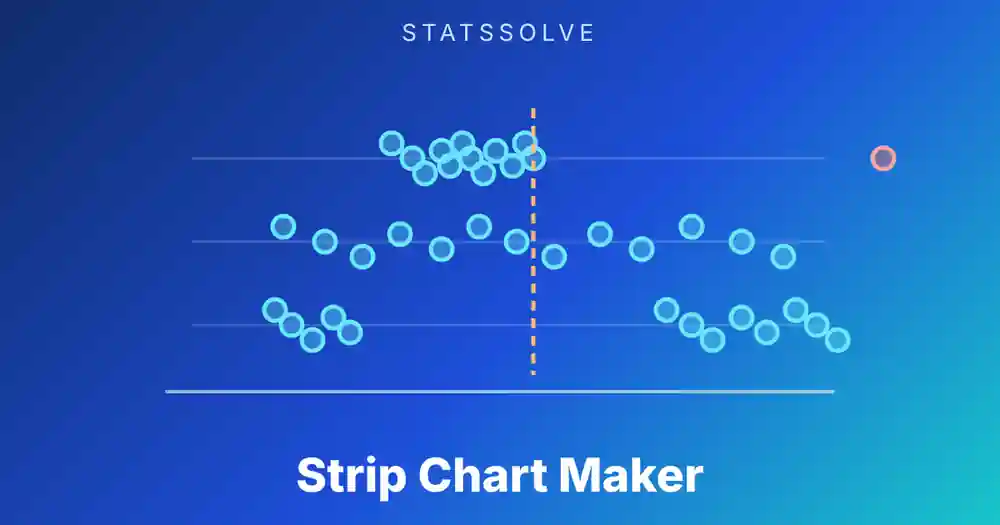
A box plot also has blind spots. It cannot show whether the data has two peaks, because a box looks the same whether the values pile up in the middle or in two clumps. It hides the sample size, and with fewer than about eight values the quartiles are rough. For those cases look at the individual points with a strip chart maker as well.
Box Plot vs Histogram vs Strip Chart: When Should You Use Each?
All three show how data is distributed, but they answer different questions.
- Box plot: best for comparing several groups on one scale, spotting outliers and reading the median and spread quickly. It summarises, so it hides the shape inside the box.
- Histogram: best for seeing the shape of one large data set, including skew and multiple peaks. It is harder to compare more than two groups on one chart.
- Strip chart (dot plot): best for small data sets, where every individual value matters. It shows exactly where each point sits.
- Scatter plot: best when you have two numerical variables and want to see how they move together. The scatter plot maker adds the line of best fit and the correlation r.
A common approach is to draw the dots and the box together for small samples, so nothing is hidden. For the numbers behind the box, the five number summary calculator and the quartile calculator list every statistic you need.
Where Are Box Plots Used?
School statistics. Box plots are a standard topic from middle school through AP Statistics. Questions usually ask you to draw one from a data list, read the median and IQR from a picture, or compare two plots.
Science and lab work. Box plots show repeated measurements from several conditions, such as the same assay run under three temperatures. A shifted box or a dot far from the others points to something worth re-checking.
Business and operations. Delivery times, response times and order values are skewed and have outliers, which makes the median and IQR a better description than the mean and standard deviation. A box plot per region or per month is a compact report.
Quality control and data cleaning. The 1.5 × IQR fences give a quick, distribution-free way to flag values that deserve a second look before you run other analyses.
How Do You Make a Box Plot in Excel, Google Sheets, TI-84, R and Python?
Every tool does the same job but chooses slightly different defaults for the quartiles.
Excel (2016 and later)
  Select the data, Insert > Charts > Statistical > Box and Whisker.
  Right-click the series > Format Data Series > Quartile Calculation:
  Inclusive median or Exclusive median. Mean markers are on by default.

Google Sheets
  No built-in box plot chart. A candlestick chart built from the five
  numbers is the usual workaround.

TI-84 Plus
  2nd + Y= (STAT PLOT), choose a plot, Type = the modified box plot icon
  (shows outliers) or the box plot icon (whiskers to min and max),
  Xlist = L1, then ZoomStat.

R
  boxplot(c(52, 58, 61, 64, 67, 70, 73, 75, 82, 90), horizontal = TRUE)
  boxplot.stats(x)$stats      # uses Tukey hinges, coef = 1.5

Python
  import matplotlib.pyplot as plt
  plt.boxplot([a, b], vert=False, showmeans=True)   # linear quartiles, whis = 1.5
  plt.boxplot(a, whis=(0, 100))                     # whiskers to min and max
Because R uses Tukey hinges and matplotlib uses linear interpolation, the same data can produce slightly different boxes in the two languages. That is normal and comes down to the quartile definition, not a bug.
What Mistakes Do People Make With Box Plots?
The first is reading the box as the whole data set. The box holds the middle 50% only. A quarter of the values lie below it and a quarter above.
Second, assuming the whisker always reaches the maximum. With the 1.5 × IQR rule the whisker stops at the last value inside the fence, and anything beyond is a separate dot.
Third, comparing box plots drawn on different scales. Two plots are only comparable when they share an axis, which is why this tool puts all sets on one scale.
Fourth, treating every dot as an error. An outlier by the 1.5 × IQR rule is just unusual compared with the rest. It may be a typing mistake, a different kind of case, or a real and important value.
Fifth, drawing conclusions from very small samples. With five or six values the quartiles move a lot if one value changes, so the plot is more a sketch than a measurement.
Key Points to Remember
- A box plot shows the minimum, Q1, median, Q3 and maximum, with the box covering the middle 50% of the data.
- IQR = Q3 − Q1 is the length of the box.
- With the 1.5 × IQR rule, whiskers end at the furthest value inside Q1 − 1.5 × IQR and Q3 + 1.5 × IQR; values beyond are drawn as outlier dots.
- Different quartile methods (TI-84, Tukey, Excel INC and EXC) can shift the box edges a little.
- A mean far from the median line signals skew or extreme values.
- Box plots are best for comparing groups on one scale; use a strip chart or histogram to see the individual values or the exact shape.
Frequently Asked Questions
What does a box plot show?
A box plot shows the five-number summary of a data set: the minimum, first quartile, median, third quartile and maximum. The box covers the middle half of the data, the line inside it marks the median, and the whiskers and dots show how far the rest of the values reach.
How do you find outliers on a box plot?
Compute the interquartile range, IQR = Q3 − Q1, then the fences Q1 − 1.5 × IQR and Q3 + 1.5 × IQR. Any value outside the fences is plotted as a separate dot and counts as an outlier under the usual rule.
What is the difference between a box plot and a box-and-whisker plot?
Nothing. They are two names for the same chart. Some courses use “box-and-whisker plot” when whiskers run to the minimum and maximum and “modified box plot” when outliers are drawn as dots.
Can a box plot have no whiskers?
Yes. If Q1 equals the minimum, the lower whisker has no length, and the same holds for Q3 and the maximum. This often happens with small or heavily repeated data.
How many data points do I need for a box plot?
You can draw one with as few as three or four values, but the quartiles are rough with so few points. Around 10 to 20 values or more give a more stable picture, and each group you compare should have enough points to stand on its own.
Why does my box plot look different in Excel or R?
The tools use different quartile definitions. R uses Tukey hinges, Excel offers inclusive and exclusive medians, matplotlib interpolates linearly and a TI-84 takes the median of each half. For the ten quiz scores Q1 is 61 under median of halves and 61.75 under the linear method.
Sources: NIST/SEMATECH e-Handbook of Statistical Methods, section 1.3.3.7 (box plot); Tukey, J. W. (1977), Exploratory Data Analysis, Addison-Wesley; Hyndman, R. J. and Fan, Y. (1996), "Sample quantiles in statistical packages", The American Statistician 50(4), 361-365; matplotlib documentation for pyplot.boxplot; R documentation for boxplot.stats.
Related Calculators
Want the numbers behind the box, or a different view of the same data? Try these, or browse the full list of free statistics calculators: