


Variance Calculator
Find the variance of a data set, compare two data sets with the pooled variance and variance ratio, or get the variance of a probability distribution, with every step of the working shown.
Sample and Population Variance Calculator
Type or paste your data. Results update as you type.
Working appears here.Syntax appears here.Summary appears here.Both versions are always shown, so you can match whatever your course or spreadsheet expects.
Compare two data sets and get the pooled variance and the variance ratio an F-test uses.
See each deviation and squared deviation, so you can check homework instead of just trusting a number.
What Does a Variance Calculator Do?
A variance calculator measures how spread out a set of numbers is by averaging the squared distance of each value from the mean. You enter your data, and it returns the variance together with the mean, the sum of squares and the standard deviation. A variance of 0 means every value is the same. The larger the variance, the more scattered the data.
This one does three jobs. It finds the sample and population variance of a single list. It compares two lists, reporting each variance, the pooled variance and the variance ratio that an F-test uses. And it works out the variance of a discrete probability distribution from a table of values and probabilities, the version that shows up in probability courses.
Every squared deviation is shown, along with a chart of which values contribute most to the total, so you can check a homework answer line by line instead of trusting a single number.
What Is the Variance Formula?
The variance is the average squared deviation from the mean. For a complete population of N values with mean μ:
For a sample of n values with mean x̄, the divisor becomes n − 1:
The top of both fractions is the sum of squares, written SS. The recipe never changes: find the mean, subtract it from every value, square each difference, add the squares, and divide. Squaring does two things. It stops the positive and negative deviations from cancelling out (they always sum to zero), and it gives large deviations extra weight.
The price of squaring is the unit. If your data are in dollars, the variance is in dollars squared. That is why the standard deviation, the square root of the variance, is the number people quote, while the variance is the number formulas use.
How Do You Use This Variance Calculator?
- Pick what you want to do. “One data set” handles a single list. “Compare two data sets” takes two lists. “Probability distribution” takes pairs of a value and its probability.
- Enter the data. Numbers can be separated by commas, spaces, tabs, semicolons or new lines, so a column pasted from Excel works. For a distribution, type one
value, probabilitypair per line, such as2, 0.15. - Choose sample or population for the one-list and two-list modes. The other version is always shown beside the main answer.
- Read the result and the working. The step list, the table of squared deviations and the bar chart show where every number came from.
Up to 500 values per list are accepted. The decimal-places menu changes only what is displayed; the arithmetic uses full precision and subtracts the mean first, which keeps it accurate even for very large numbers.
Should You Use Sample or Population Variance?
Use the population variance when your data contain every member of the group you are describing, for example all the employees in a small company. Use the sample variance when your data are a subset used to learn about a larger group, which is the usual situation in practice.
The sample version divides by n − 1 because a sample’s own mean always sits closer to its values than the true population mean does. Squared distances measured from it come out too small on average, and dividing by n − 1 instead of n exactly repairs that. This is Bessel’s correction, and it makes the sample variance an unbiased estimate of the population variance.
You can see the effect in a simulation. Draw 200,000 samples of 5 values from a normal distribution whose true variance is 100. Dividing by n − 1 gives an average sample variance of 100.06. Dividing by n gives 80.05, close to the theoretical 80%, because (n − 1)/n = 4/5. With n = 5 the divisor matters a great deal; with n = 500 it changes the answer by only 0.2%.
If a textbook question does not say, look for wording such as “a sample of…” or “all of…”. When in doubt, use the sample version.
Example 1: How Do You Calculate Variance by Hand?
Five test scores: 58, 62, 65, 69 and 71. Treat them first as a complete population.
If the same five scores are a sample, step 4 divides by 4 instead: the sample variance is 110 / 4 = 27.5. Taking square roots gives standard deviations of 4.6904 and 5.2440. The signed deviations adding to zero is a useful check; if they do not, the mean is wrong and everything after it inherits the error.
The score of 71 has a squared deviation of 36, one third of the total sum of squares, even though it is only 6 points from the mean. Squaring makes the extremes dominate, which is why the calculator charts each value’s share of SS. Plotting the values on a strip chart makes a dot like that easy to spot.
Why Is Variance in Squared Units, and Why Not Just Use Standard Deviation?
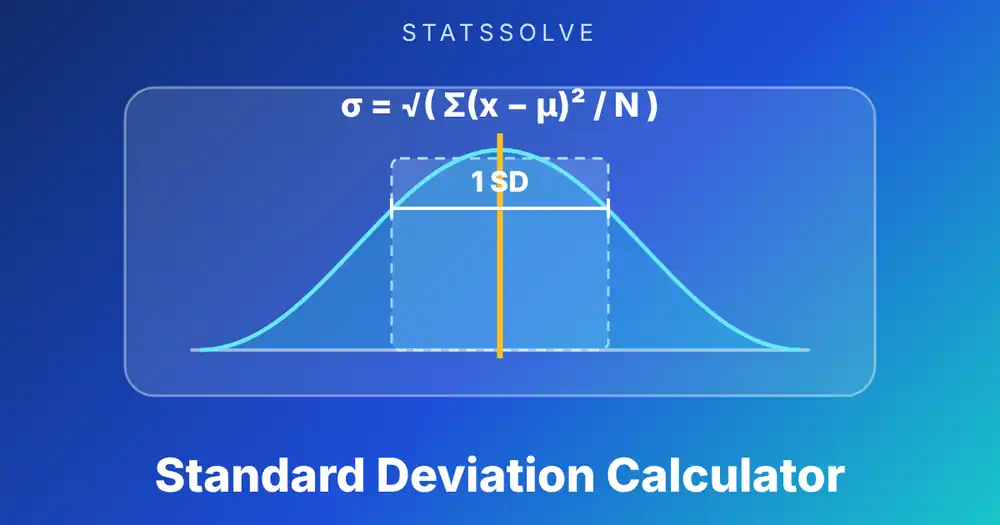
Variance is in squared units because every deviation is squared. Scores in points give a variance in points squared, and a variance of 22 “points squared” has no everyday meaning. Taking the square root returns to points: the standard deviation calculator reports 4.69 for the same population, which you can read as a typical distance from the mean.
So why keep the variance at all? Because it has algebra the standard deviation lacks. Variances of independent quantities add. Variance splits cleanly into parts, which is the whole idea behind ANOVA and regression. You can see this on the scatter plot maker, where R² is the share of the variance in y that the fitted line explains. And the sample variance is an unbiased estimator of the population variance, while the sample standard deviation is not quite unbiased. Whenever a formula combines spread from several sources, it works with variances and takes the square root only at the end.
Example 2: How Do You Compare the Variance of Two Data Sets?
Two stores log how many minutes each of six deliveries took. Store A: 31, 35, 29, 33, 37, 30. Store B: 32, 45, 25, 38, 28, 41.
| Measure | Store A | Store B |
|---|---|---|
| Mean | 32.5 | 34.8333 |
| Sum of squares | 47.5 | 302.8333 |
| Sample variance | 9.5 | 60.5667 |
| Sample standard deviation | 3.0822 | 7.7825 |
The averages are 2.3 minutes apart, but the spreads are far apart: Store B’s variance is more than six times larger. A customer at Store A can predict the wait quite well. At Store B it is a gamble between 25 and 45 minutes. To get the averages first, the mean, median and mode calculator reports them together with the range.
The pooled variance combines the two sample variances, weighting each by its degrees of freedom:
Its square root, 5.9189, is the pooled standard deviation that a two-sample t-test with equal variances uses. With equal group sizes the pooled variance is simply the average of the two.
What Does the Variance Ratio Tell You?
The variance ratio is the larger sample variance divided by the smaller. For the two stores it is 60.5667 / 9.5 = 6.3754, with 5 and 5 degrees of freedom. Under the null hypothesis that both populations have the same variance, this ratio follows an F-distribution, and the two-sided p-value comes out at about 0.063. That is suggestive but not conclusive at the usual 5% level. With only six deliveries per store, a ratio of 6 could still arise by chance.
Ratios near 1 mean similar spread. The F-test is sensitive to non-normal data, so treat it as a rough guide with small samples.
The ratio also matters for choosing a t-test. Pooling assumes equal variances. With these two stores, the pooled t-test gives t = −0.683 and p = 0.510, while a Welch test does not assume equal variances and is the safer default when the ratio is large. This calculator reports the ratio and the pooled variance, but it does not run the tests themselves.
Example 3: What Is the Variance of a Probability Distribution?
For a discrete random variable the variance is the expected squared distance from the mean, weighted by probability:
Suppose a batch of parts can have 0, 1, 2 or 3 defects with probabilities 0.50, 0.30, 0.15 and 0.05.
A fair six-sided die is the classic case. The mean is 3.5, and each face has probability 1/6, so Var(X) = 35/12 = 2.9167 and the standard deviation is 1.7078. Enter 1, 0.1666667 through 6, 0.1666667, or use the preset button, to see the same result.
Named distributions have closed forms you can check against. A binomial count has variance np(1 − p), explored in the binomial distribution calculator, and a Poisson count has variance equal to its mean, shown in the Poisson distribution calculator. The hypergeometric distribution calculator covers sampling without replacement.
How Does Variance Change When You Transform the Data?
Adding a constant to every value does not change the variance, because the mean moves by the same amount and every deviation stays the same. Multiplying every value by a constant a multiplies the variance by a²:
Daily temperatures of 12, 15, 18, 21 and 24 degrees Celsius have a sample variance of 22.5. Converting to Fahrenheit is F = 1.8C + 32, so the variance becomes 1.8² × 22.5 = 3.24 × 22.5 = 72.9. The +32 has no effect at all.
For independent quantities, variances add: Var(X + Y) = Var(X) + Var(Y). Standard deviations do not add this way, which is why combined spread is computed on the variance scale. The same logic gives the variance of a sample mean, σ²/n. If single observations have variance 100, the mean of 5 of them has variance 20, and the mean of 100 has variance 1.
How Much Can One Outlier Change the Variance?
A lot, and more than it changes the standard deviation, because the squared deviation grows with the square of the distance. Take 10, 12, 11, 13, 12 and 11. The sample variance is 1.1. Add a single typing slip of 60:
| Data | n | Sample variance |
|---|---|---|
| 10, 12, 11, 13, 12, 11 | 6 | 1.1 |
| Same, plus 60 | 7 | 336.9524 |
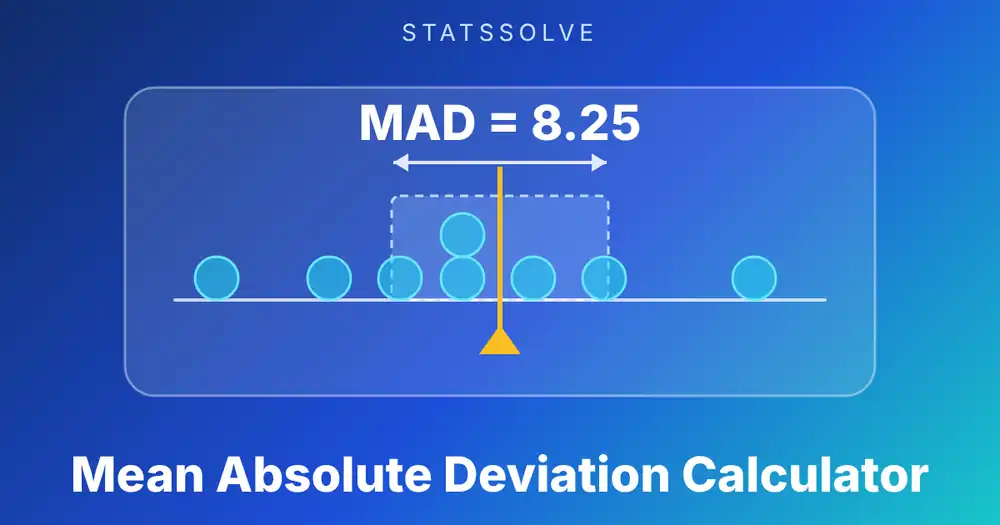
One value multiplied the variance by more than 300. If a result looks far too large, scan the squared deviations in the table for one that dwarfs the rest. When outliers are real, a resistant measure is more honest: the five number summary calculator reports the interquartile range and flags outliers, and the mean absolute deviation calculator weights large deviations less heavily.
Why Do Excel, R and Python Give Different Variances?
Because their defaults differ. Some functions divide by n − 1, others by n, and the names do not always make it obvious.
Excel / Sheets   sample        =VAR.S(A2:A6)      (older name: VAR)
Excel / Sheets   population    =VAR.P(A2:A6)      (older name: VARP)
TI-84            sample  Sx²   population  σx²   (square the 1-Var Stats value)
R                var(x)                             # sample, n - 1
Python statistics  variance(x)   pvariance(x)       # sample, population
NumPy            np.var(x, ddof=1)                  # sample
                 np.var(x)                          # population (ddof=0)
pandas           s.var()                            # sample (ddof=1)
                 s.var(ddof=0)                      # population
The two trouble spots are NumPy, which divides by n unless you pass ddof=1, and pandas, which divides by n − 1 unless you pass ddof=0. The five scores from Example 1 give 22 with np.var(x) and 27.5 with pd.Series(x).var(). Neither is wrong; they answer different questions. Excel’s VARA and VARPA count text and TRUE/FALSE inside ranges, so use VAR.S and VAR.P for ordinary numbers. The “Same calculation in other tools” box in the calculator prints the exact formulas for your data.
Why Can the Shortcut Formula Give a Wrong Variance?
The textbook shortcut, SS = Σx² − (Σx)²/n, is exact in algebra but fragile in floating-point arithmetic. When values are large and close together, the two terms are huge and nearly equal, and subtracting them wipes out the significant digits.
Try 1,000,000,004, 1,000,000,007, 1,000,000,013 and 1,000,000,016. Their true sample variance is 30, the same as for 4, 7, 13 and 16, because shifting data does not change spread. Applying the shortcut in ordinary 64-bit arithmetic returned −512 in a NumPy test. A negative variance is impossible, so the result is plainly wrong.
This calculator finds the mean first and then sums squared deviations from it, which removes the large offset before anything is squared. If you ever get a negative variance from a spreadsheet formula you built yourself, this is the likely cause. The standard deviation calculator uses the same two-pass method.
What Mistakes Cause a Wrong Variance?
- Using n when you should use n − 1, or the reverse. This is the most frequent cause of an answer that is slightly off in a quiz.
- Reporting the variance when the question wants the standard deviation. If the answer should be in the original unit, take the square root.
- Rounding the mean too early. Rounding a mean of 81.1429 to 81 changes every deviation. Keep full precision until the end.
- Forgetting to square negatives. A deviation of −7 squares to 49, not −49.
- Averaging variances of unequal groups. Combine them with the pooled formula, which weights each variance by its degrees of freedom.
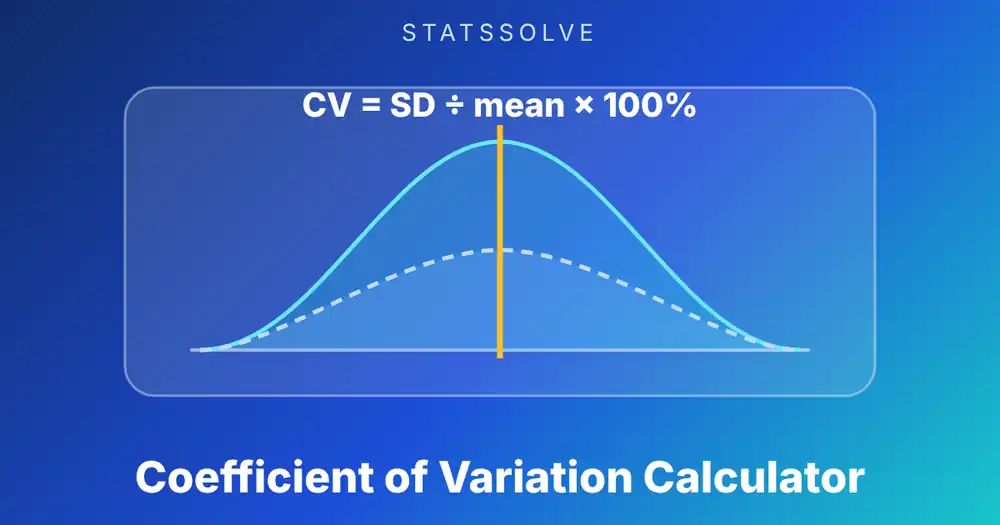
- Comparing variances across different scales. A variance of 25 means something very different for data averaging 10 than for data averaging 1,000. The coefficient of variation calculator compares spread relative to the mean.
- Probabilities that do not add to 1. In a distribution, a missing outcome silently changes the variance. The calculator warns you if the total is off.
How Does Variance Compare With Other Measures of Spread?
| Measure | Unit | Best used when |
|---|---|---|
| Range | Same as data | A quick look; ignores everything between the extremes |
| Variance | Squared | Formulas, pooling, ANOVA, regression, comparing variability |
| Standard deviation | Same as data | Reporting spread in the data’s own unit |
| Mean absolute deviation | Same as data | An easier average distance from the center |
| Interquartile range | Same as data | Skewed data or data with outliers |
| Coefficient of variation | None (%) | Comparing spread across different units or averages |
If your observations should count unequally, find a weighted center first with the weighted mean calculator. If you assume a bell shape, the normal curve calculator turns a mean and a variance’s square root into exact probabilities.
Frequently Asked Questions
How do you calculate variance?
Find the mean, subtract it from every value, square each difference, add the squares, and divide by n for a population or n − 1 for a sample. For 58, 62, 65, 69 and 71 the sum of squares is 110, so the population variance is 110/5 = 22 and the sample variance is 110/4 = 27.5.
What is the difference between sample and population variance?
Population variance divides the sum of squared deviations by n and applies when you have every member of the group. Sample variance divides by n − 1 and applies when your data are a subset. For the five scores above they give 22 and 27.5.
Why is variance squared?
Squaring stops positive and negative deviations from cancelling and gives larger deviations more weight. It also makes variances of independent variables add, which is why many formulas use variance rather than standard deviation.
Can variance be negative?
No. It is an average of squares, so it is zero or positive. It is zero only when every value is identical. A negative result from a spreadsheet usually points to a formula error such as the shortcut formula losing precision.
How do you find the standard deviation from the variance?
Take the square root. A variance of 22 gives a standard deviation of √22 = 4.6904, which is in the same unit as the data.
What is pooled variance?
Pooled variance combines the sample variances of two groups, weighting each by its degrees of freedom: [(n₁ − 1)s₁² + (n₂ − 1)s₂²] / (n₁ + n₂ − 2). It is used in the equal-variance two-sample t-test. With equal group sizes it is just the average of the two variances.
How do you find the variance of a probability distribution?
Compute the mean μ = Σ x·P(x), then the variance Σ (x − μ)²·P(x), or equivalently E[X²] − μ². For outcomes 0, 1, 2, 3 with probabilities 0.50, 0.30, 0.15, 0.05 the variance is 0.7875.
What happens to the variance if I multiply all my data by a constant?
It is multiplied by the square of the constant. Adding a constant does not change it. Converting Celsius to Fahrenheit multiplies the variance by 1.8² = 3.24.
Sources: NIST/SEMATECH e-Handbook of Statistical Methods, sections on measures of scale and the F-test for equality of variances; NumPy documentation for numpy.var; pandas documentation for Series.var; SciPy documentation for scipy.stats.f; Microsoft documentation for VAR.S and VAR.P.
Related Calculators
Want another view of spread or center? Try these, or browse the full list of free statistics calculators: